AnyPortrait > Forum > How to Use

Animating with smooth keyframe interpolation.

Viewing 4 posts - 1 through 4 (of 4 total)
  • Author
    Posts
  • #1603
    hyperbeamarthyperbeamart

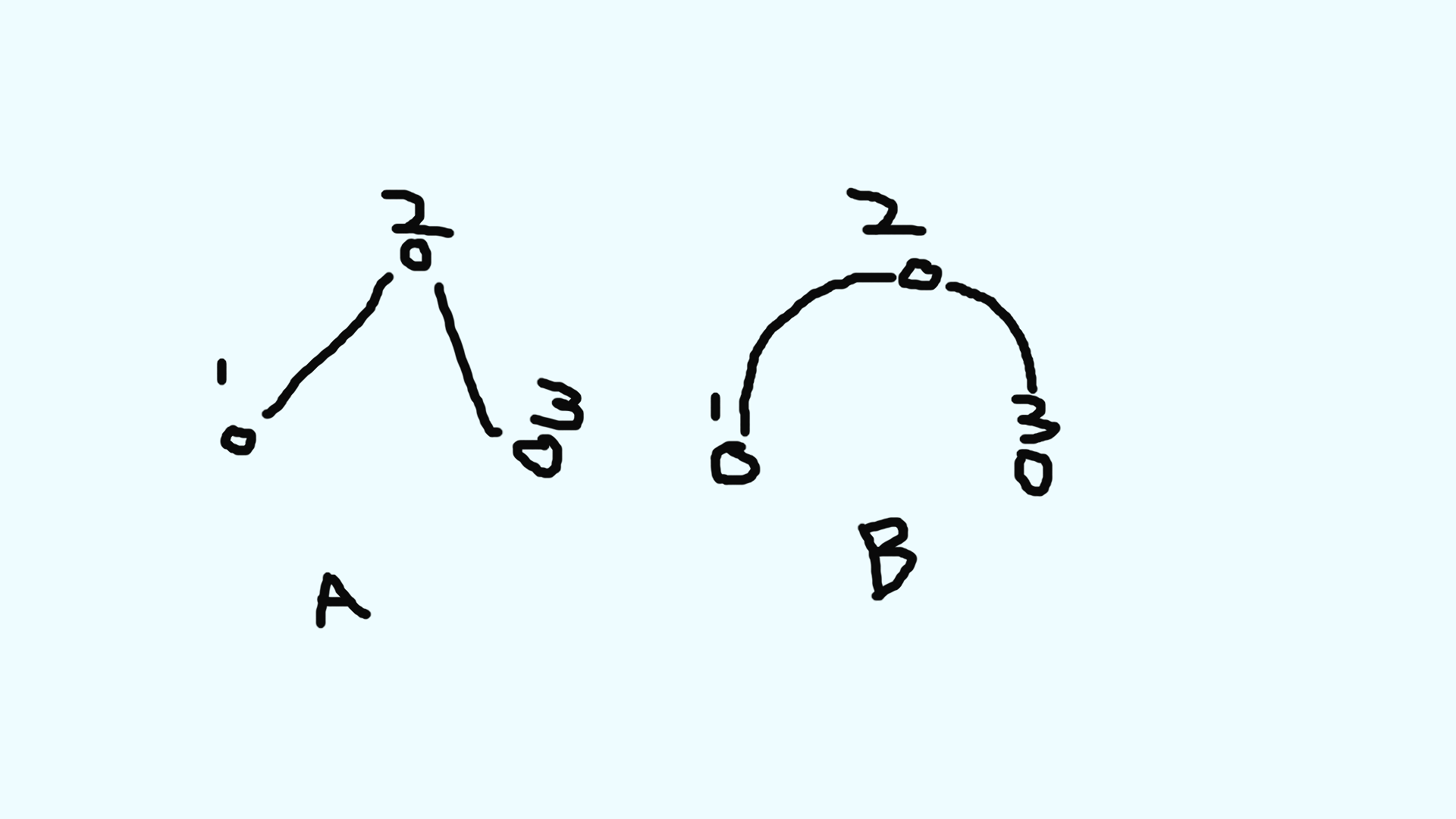
      Hello, I have been experimenting with anyportraits keyframe and curve editor. I have found that the curve editor changes the timing of the transition from one key to the next, but not the path that objects move. In Unity, for example, you can open the graph editor to adjust the way objects animate in relation to their keyframes. In the image attached, I have an example of what I mean, where example A shows a linear interpolation between 3 keys, and example b shows smooth interpolation between 3 keys.

      Main Question:
      Is it possible in Anyportrait to get smoother animation interpolation such as in example B in the image, and if so how do I achieve that? Thank you very much for taking the time!

      a 3 keyframe animation with linear interpolation, and a 3 keyframe animation with smooth interpolation.

      #1604
      RainyRizzleRainyRizzle

        Hello!

        To move the object in the way you requested, the curve editor must separate the movement components; in other words, it must be possible to specify separate interpolation curves for the X and Y position values.

        Unfortunately, however, AnyPortrait currently only features curves for interpolation between keyframes and does not support the curve method you requested.

        We intend to make broader improvements regarding curves, but due to scheduling constraints, it seems unlikely that an update will be available in the near future.

        We apologize for not being able to provide a satisfactory answer.

        #1605
        hyperbeamarthyperbeamart

          I appreciate you getting back!

          I kind of suspected as much, but I had to ask. Perhaps if I use Anyportrait long enough the feature I’ll get to use that feature lol

          I’ve been experimenting with keys and easing and I am getting the hang of things without a  graph editor.

          Is there any chance that, after an animation is finished, it can be converted into a unity animation in which the keyframes can be edited in the unity animation editor? I know it can be turned into a mechanim animation, but the keys are not editable. If I could edit those keys I could use the graph editor in Unitys animator for touchups…
          I figure it’s a long shot but I have to ask, thanks again!

          #1606
          RainyRizzleRainyRizzle

            Hi!
            Thank you for leaving a comment.

            Since AnyPortrait’s animations are implemented using its own proprietary system, it is not possible to edit them within the Unity Editor.

            While you can control the position of the completed character’s GameObjects using a separate Mecanim, the character’s internal animations can only be edited within AnyPortrait itself.

            We will discuss the Graph Editor further and consider implementation options.
            Thank you.

          Viewing 4 posts - 1 through 4 (of 4 total)
          • You must be logged in to reply to this topic.
          Scroll to Top