
AnyPortrait > Forum > Bugs or Suggestions
Quick Generate Mesh is not working
- This topic has 7 replies, 2 voices, and was last updated 9 months ago by
 DryreL.
-
AuthorPosts
-
January 21, 2026 at 7:53 am #1562
 DryreL
Hi! I created a topic but it doesn’t show up so I’m sending again.
Quick Generate Mesh is deleting the existing 4 edge default vertices. But does not generate new ones.
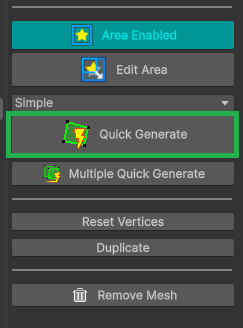
AnyPortrait 1.6.2
Unity Engine 6.3 LTS-
This topic was modified 9 months ago by DryreL.
January 21, 2026 at 8:42 am #1564 RainyRizzle
Hi!
It seems you’re experiencing issues with the “Quick Generate Mesh” feature.
For this feature to work properly, the “Area” must be set correctly, and the image must contain both transparent and opaque areas.Please check the followings:
1. Is the “Area” properly set for the area you want to create a mesh for?
If you imported from a PSD file, the Area will be set automatically, but if not, you’ll need to manually set it.
In either case, first click the “Edit Area” button and adjust the four points to set the area you want to create a mesh for.
Then, with the Area set to “Enabled,” click the “Quick Generate” button.
(The screenshot shows the Area is enabled, so you can simply reconfigure the Area shape.)2. Are the transparent and opaque areas of the image properly drawn?
The mesh generation function detects the transparency of the image.
This function may not work properly if the image is entirely opaque or mostly transparent.3. Is the image or area too small?
The mesh generation feature doesn’t work on very small images.
In this case, a warning message will appear, saying “Area is disabled or too small.”, so this will make it easy to identify.If the texture asset properties of the image are weird, it may be impossible to detect the Alpha channel of the image, but this is unlikely to be the cause in general cases.
If the issue persists, please leave a comment!
Please provide us with the image texture, mesh shape and size, etc., so we can better understand the issue.
If you have trouble sharing your work, please email it directly to us ( contactrainyrizzle@gmail.com ).Thanks.
P.S. We apologize for any difficulties uploading your post.
We will check the forum log and address any issues.January 21, 2026 at 8:49 am #1566RainyRizzle
Your previous post contained a link and was in the Pending state.
We’ve recently strengthened the post rules due to bot account access attempts.
We apologize for any inconvenience this may have caused.
Our team always receives all post upload notifications, so if your post is in the Pending state in the future, please wait a moment.
We will review and open it quickly.The previous post has the same content, so we will delete it.
January 21, 2026 at 9:43 am #1570DryreL
Hi RainyRizzle,
Let me answer them quickly.
1. Yes, because I directly imported from a PSD file
2. Yes, it is properly drawn3. No, it is high resolution
—
When I click, “Reset Vertices” it became default as expected.
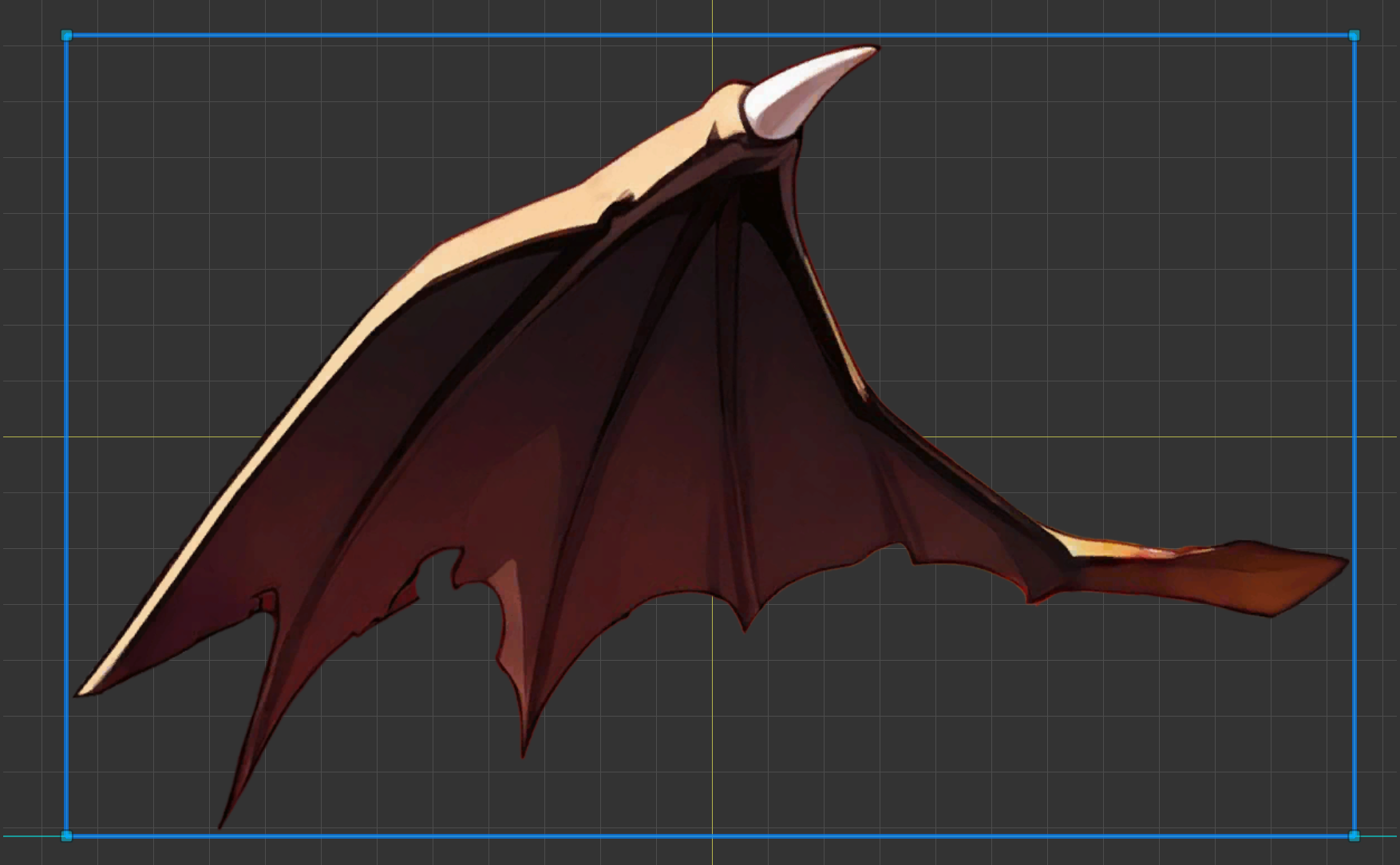
And when I click “Auto Generate”, it asks me a question.
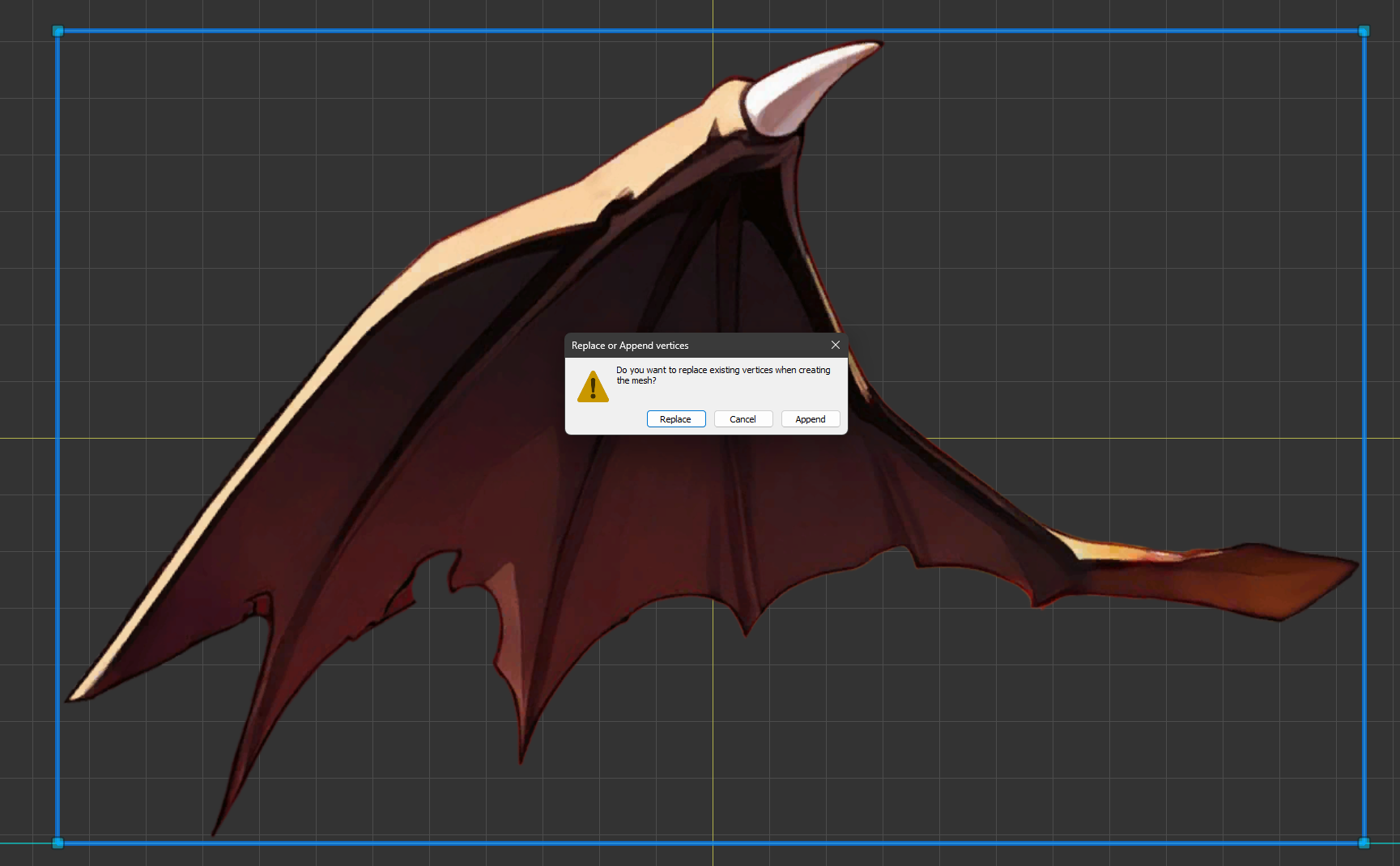
After that, I clicked “Replace”.
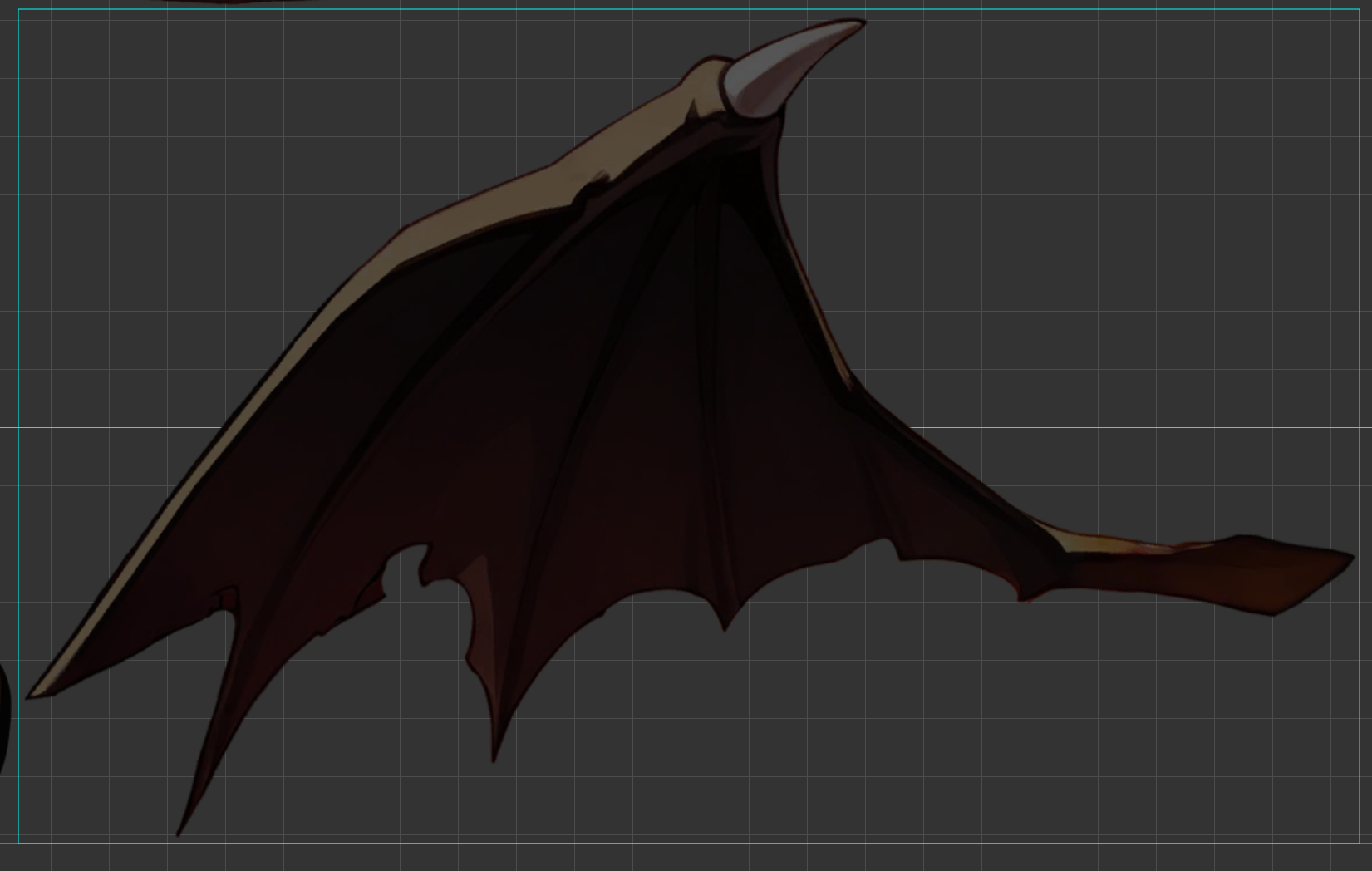
As you can see, it became darker and all the vertices are gone. No new vertices are created.
January 21, 2026 at 1:09 pm #1571RainyRizzle
Hi!
Before responding, we apologize for not being able to resolve your issue quickly.
Looking at the screenshots in your comment, this appears to be normal.
If so, this could be a bug or a conflict with another asset.1. First, if processing fails due to a bug or other cause.
If mesh generation fails, a failure dialog box is displayed.
The message in this dialog box indicates the cause, and typical causes include:– Area is disabled or too small
– Processing time is too long (Timeout)
– Image recognition failed and was canceled because it would generate too many vertices
– Script error occurred (with exception log)If you get a failure message, please let us know.
2. Another possible cause of this issue is a conflict with another asset or script.
Conflicts involving texture asset properties, in particular, can prevent mesh generation.
The mesh generation function relies on the “Readable” option of the texture asset for color detection.
This option is usually disabled, so the mesh generation function temporarily enables and then restores it.
However, if another script interferes with modifying texture asset properties, mesh generation may fail.A typical example is when a script inherits from “AssetPostprocessor” in the project.
We wrote the following code and added it to our project.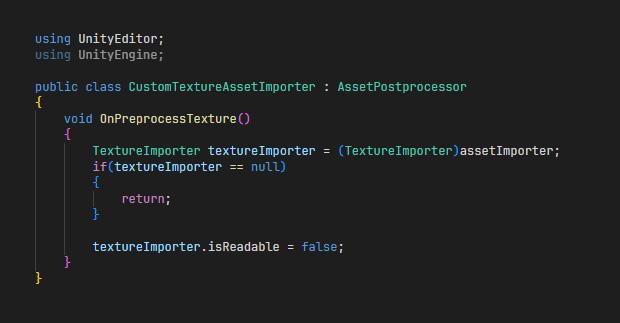
And when we ran the mesh generation function, we saw the same issue you’re experiencing.
In this test, there’s no failure message.
Please check that your project has a script that inherits from “AssetPostprocessor“.Please review the response above and leave a comment.
We will provide you with a proper solution.
Thank you.January 21, 2026 at 3:41 pm #1572DryreL
I had started a clean project, so it needed to be something other than a conflict with another script.
—
Btw, I found the problem.
After Atlas created the texture, it created it with Compression None.
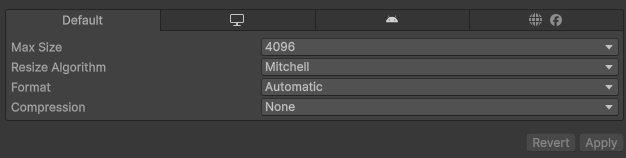

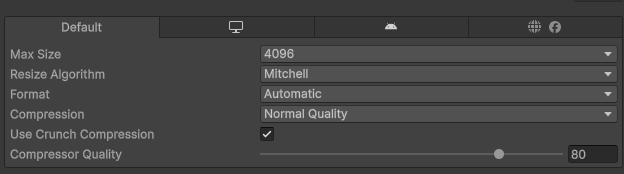
However, Compression None isn’t ideal for me. Just 1x Atlas texture takes up 64 MB of space. And if you consider dozens of Atlases, it would unnecessarily inflate the build size. So, as soon as the Atlas was created, I enabled Compression and set it to “Normal” and “80%”. With almost imperceptible quality loss, it was reduced to exactly 1.1 MB. 99% disk space saving!

—
TLDR; I set Compression to None and Quick Generate (Mesh) worked.
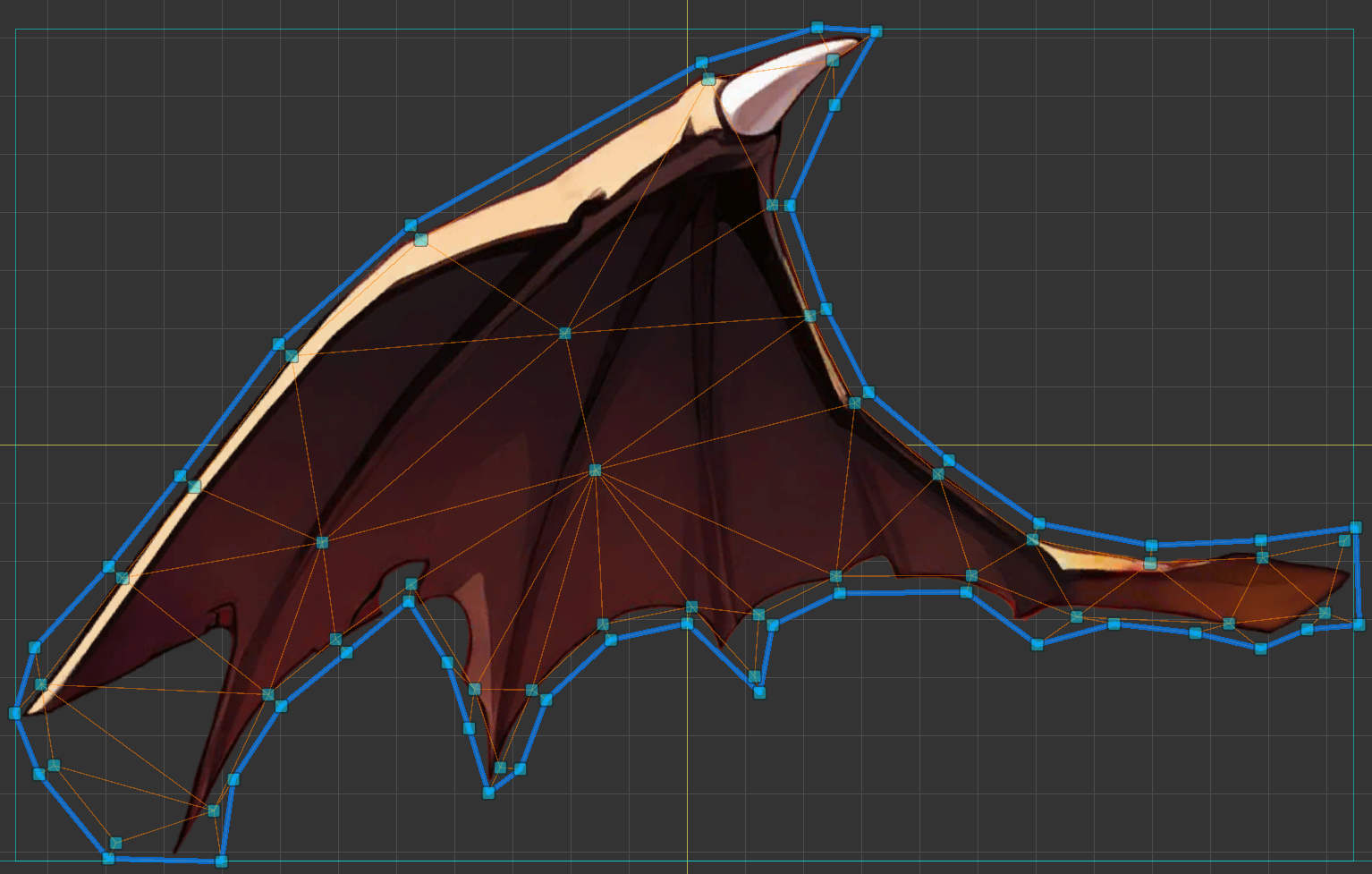
Texture Atlas’s failure to work with compression enabled, since it’s a user choice whether to compress or not, and I prefer compression to be enabled, can be considered a bug/missing feature.
Alternatively, if compression needs to be disabled initially, it could be communicated to the user with better UX feedback.
In the current workflow, I will initially use Quick Generate with Compression None. Then I will enable Compression again.
January 21, 2026 at 10:20 pm #1573RainyRizzle
I’m glad the issue has been resolved!
The compression option was unexpected, and it could be disastrous for users like you.
We apologize for any inconvenience caused by the insufficient implementation of this feature.
We will review this issue and work to improve it.January 22, 2026 at 8:25 am #1574DryreL
You’re welcome! I’m glad it helped.
-
This topic was modified 9 months ago by
-
AuthorPosts
- You must be logged in to reply to this topic.